
Everything you save,
finally findable.
Recipes from Instagram, flats you might rent, links, quotes and screenshots. Share them to StashMind – it files them itself and finds them the moment you ask.
Free · No account · Works offline · Any language
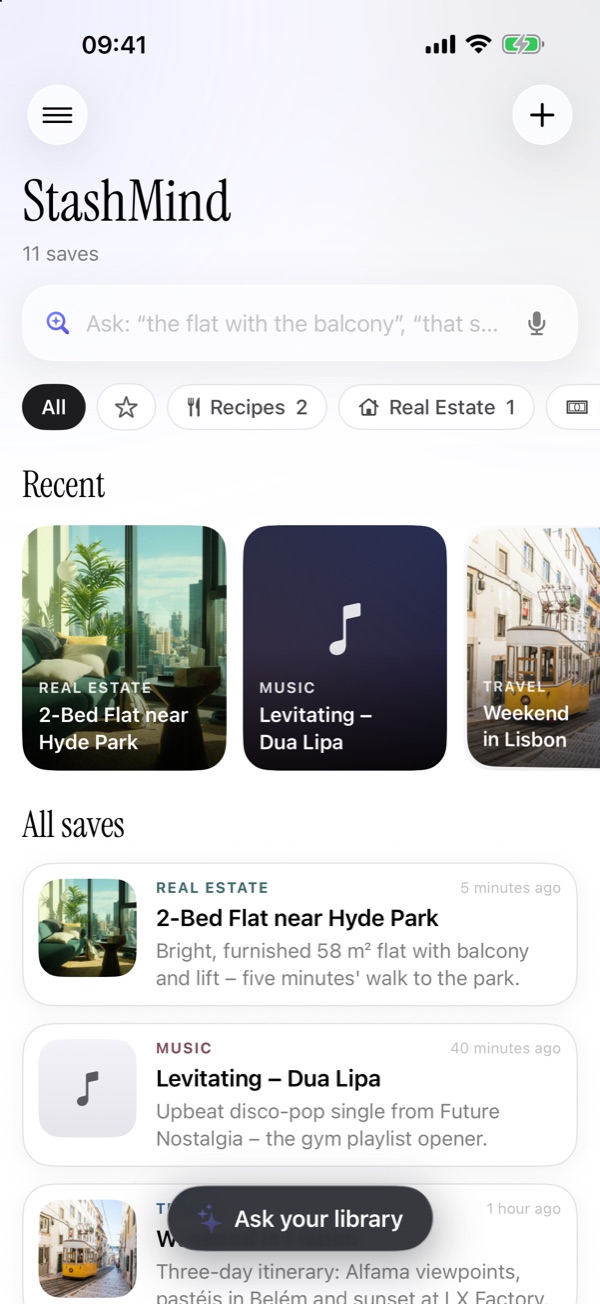
Three seconds to save.
Zero effort to organize.
Save in one tap
Share from Instagram, TikTok, Safari, Photos – any app. No folders, no tagging.
It sorts itself
A clear title, the right category and the details that matter: time, price, ingredients, date.
Just ask
“That chicken recipe.” “The flat with the balcony.” Type it, say it, or ask Siri.
Calm, fast, yours.
Collections, reminders of things you forgot, and sharing with friends – all built in.
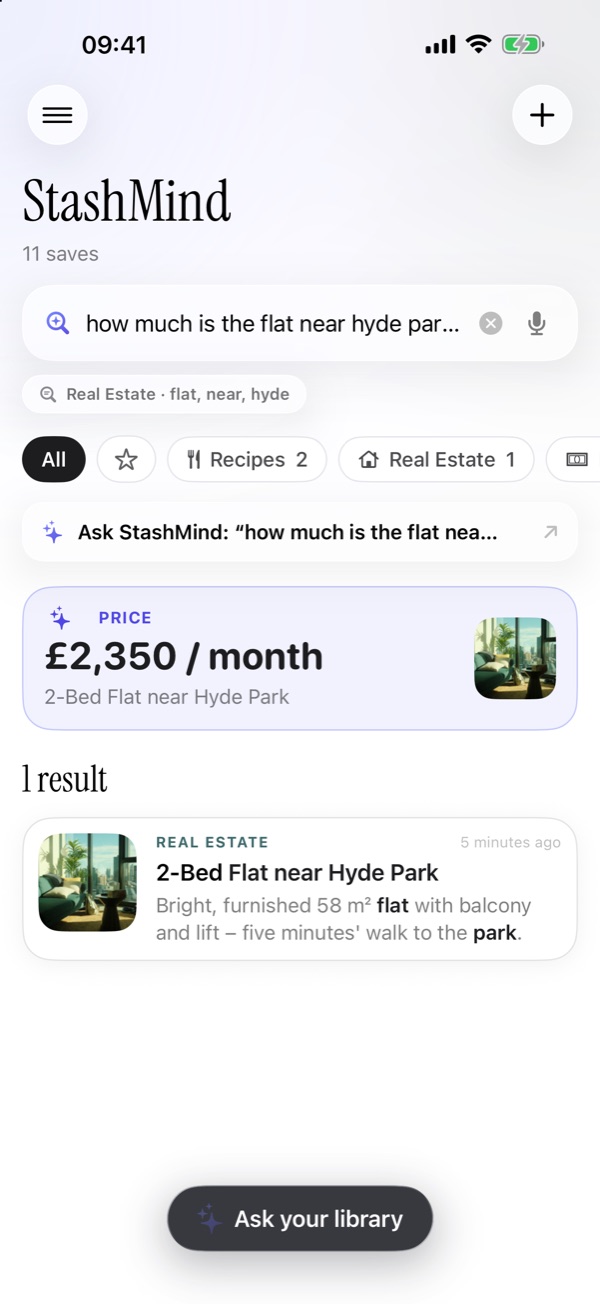
Ask, get the answer
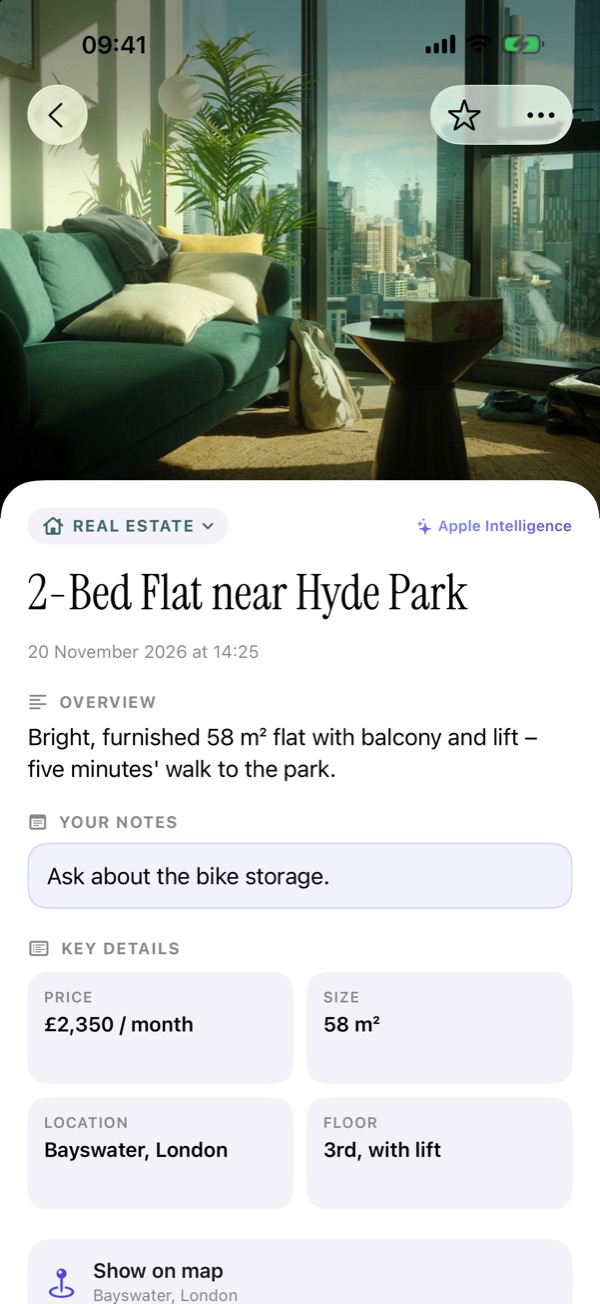
The details, pulled out
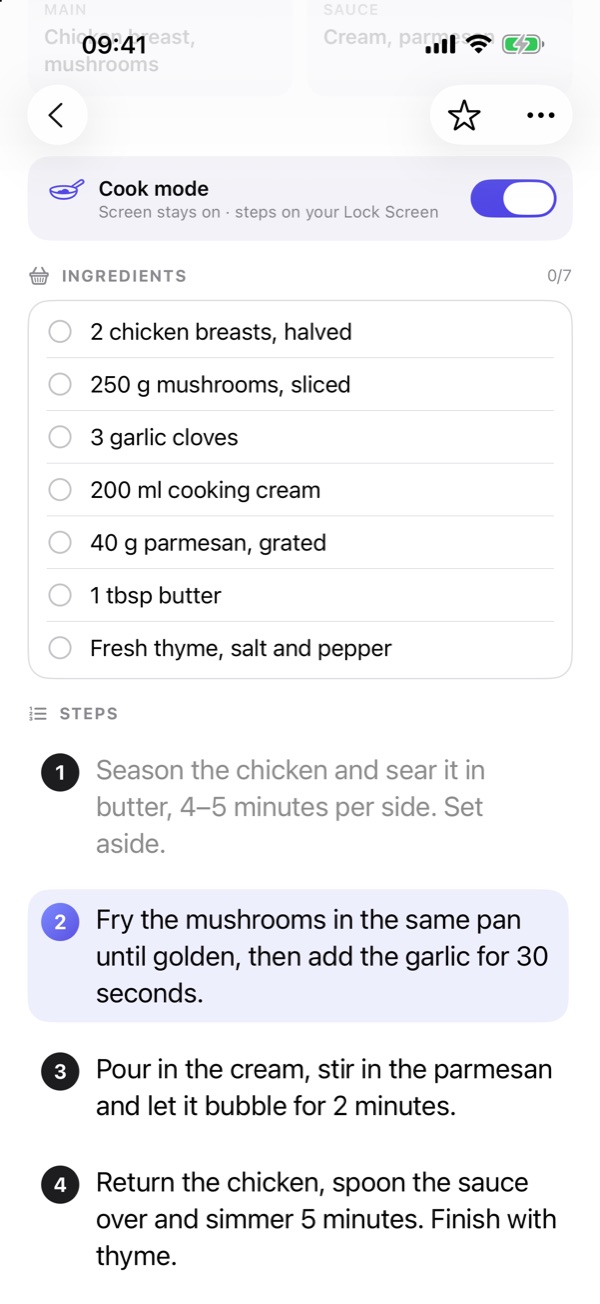
Cook from your saves
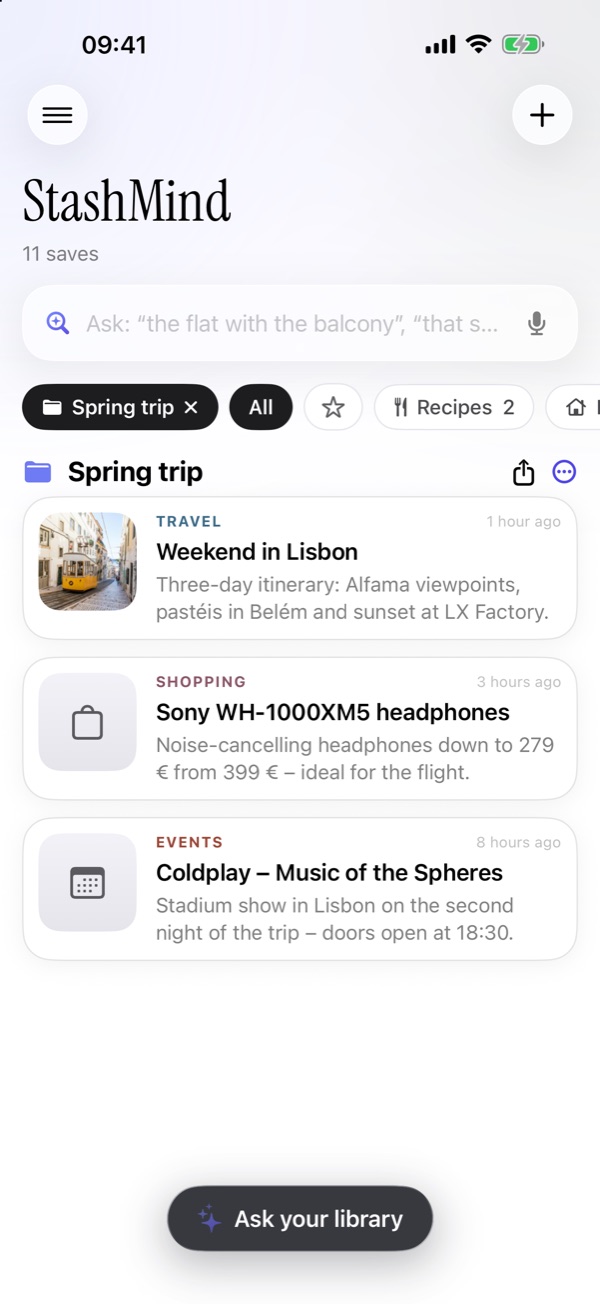
Collections worth sharing
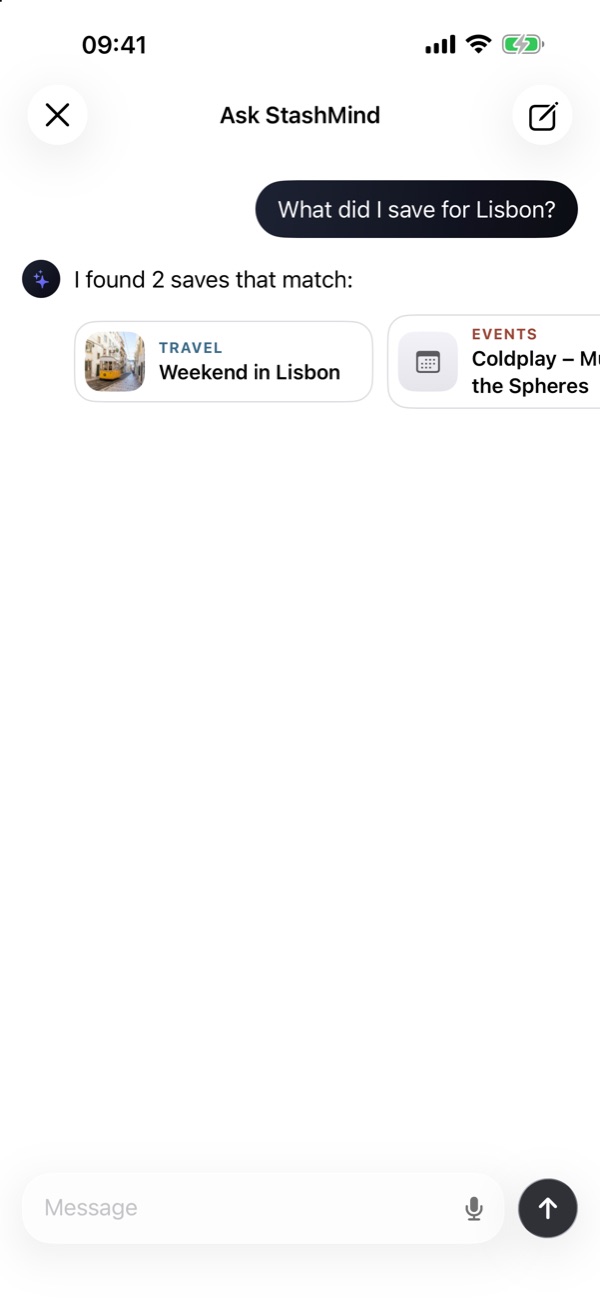
Chat with your library
Quick answers.
Is StashMind free?
Yes. Free to download, no account, no ads.
Which iPhones does it work on?
Any iPhone with iOS 26 or later. AI summaries and chat need Apple Intelligence (iPhone 15 Pro or newer); on other iPhones it sorts by keywords and everything else works.
Is my stuff private?
Yes. It's organized on your iPhone. There's no StashMind server – sync goes through your own private iCloud, if you want it.
Which apps can I save from?
Any app with a Share button: Instagram, TikTok, YouTube, Safari, Photos, Messages, Pinterest and more.
Stop losing
the good stuff.
Save it once. StashMind remembers the rest.